The challenge
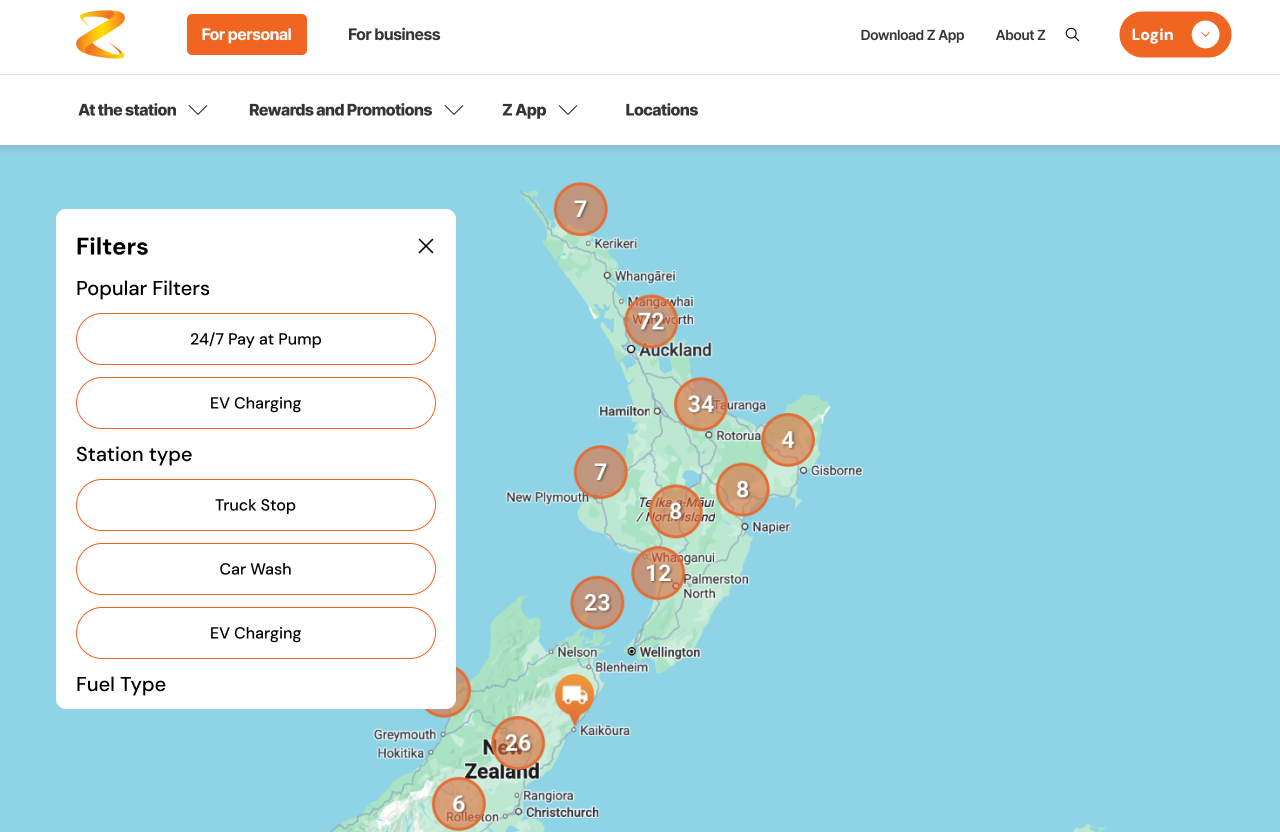
Z Energy customers like “Alex”, a road-tripping freelance photographer, couldn’t filter stations by the services they needed, see fuel prices on the map, or compare prices across stations. On top of that, the mobile experience was cramped and slow. The brief: redesign the locator so people can find, filter, and compare stations by price, location, and services.
My role
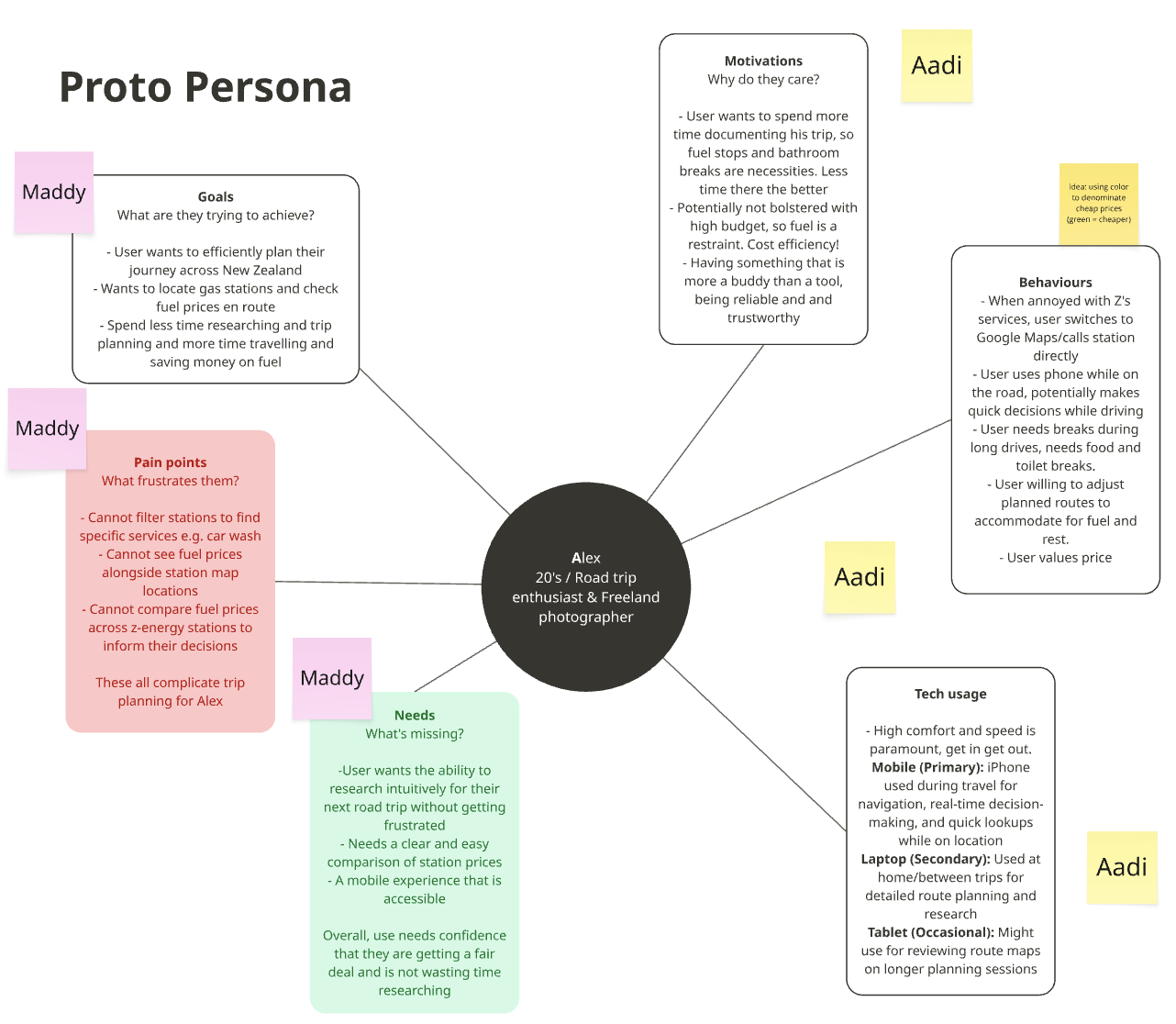
I defined the problem and synthesised the research into four key insights that laid the foundation for our work, alongside crafting a user persona. I was responsible for core flows such as the filter modal, the “plan your route” flow, and the map-zoom functionality.
OUTCOME
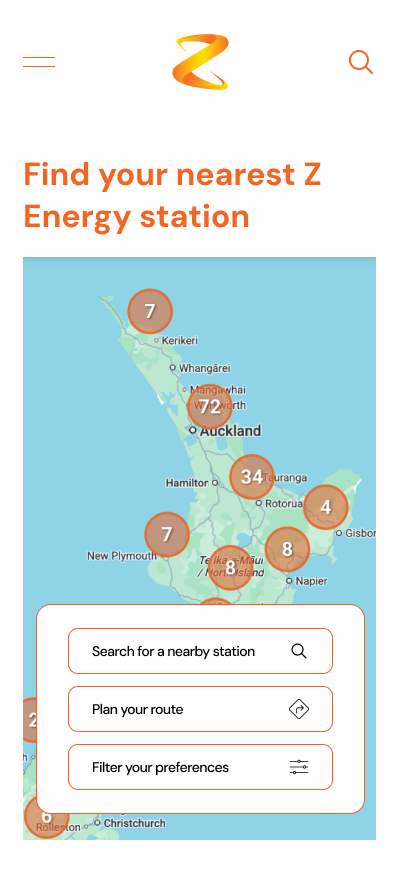
In two weeks, we took Z Energy’s station locator from a frustrating, map-heavy experience to a validated, high-fidelity product — a full desktop and mobile redesign, with an interactive prototype and a developer-coded version.
Our biggest win was restructuring the filter modal: the clicks needed to complete the task dropped from 11 to 5 — a 55% more efficient user flow.
The clearest proof it was genuinely build-ready: when we handed the work to the developers, their only open question was how to handle light and dark mode. Everything else — flows, filtering, states — was clear enough to build straight from.
DISCOVER
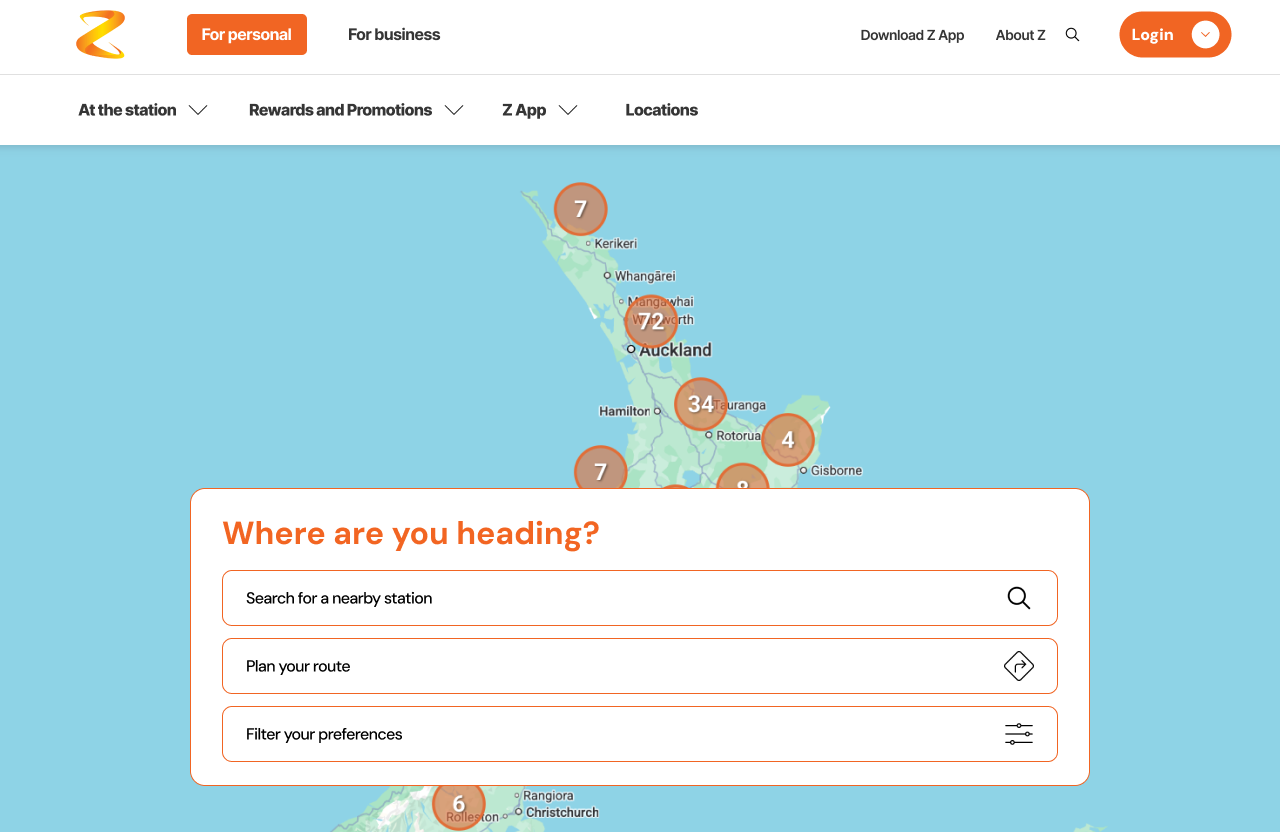
We noticed the address autocomplete was missing, there was no way to filter by service, no way to plan a route, and fuel prices were buried off the map entirely.
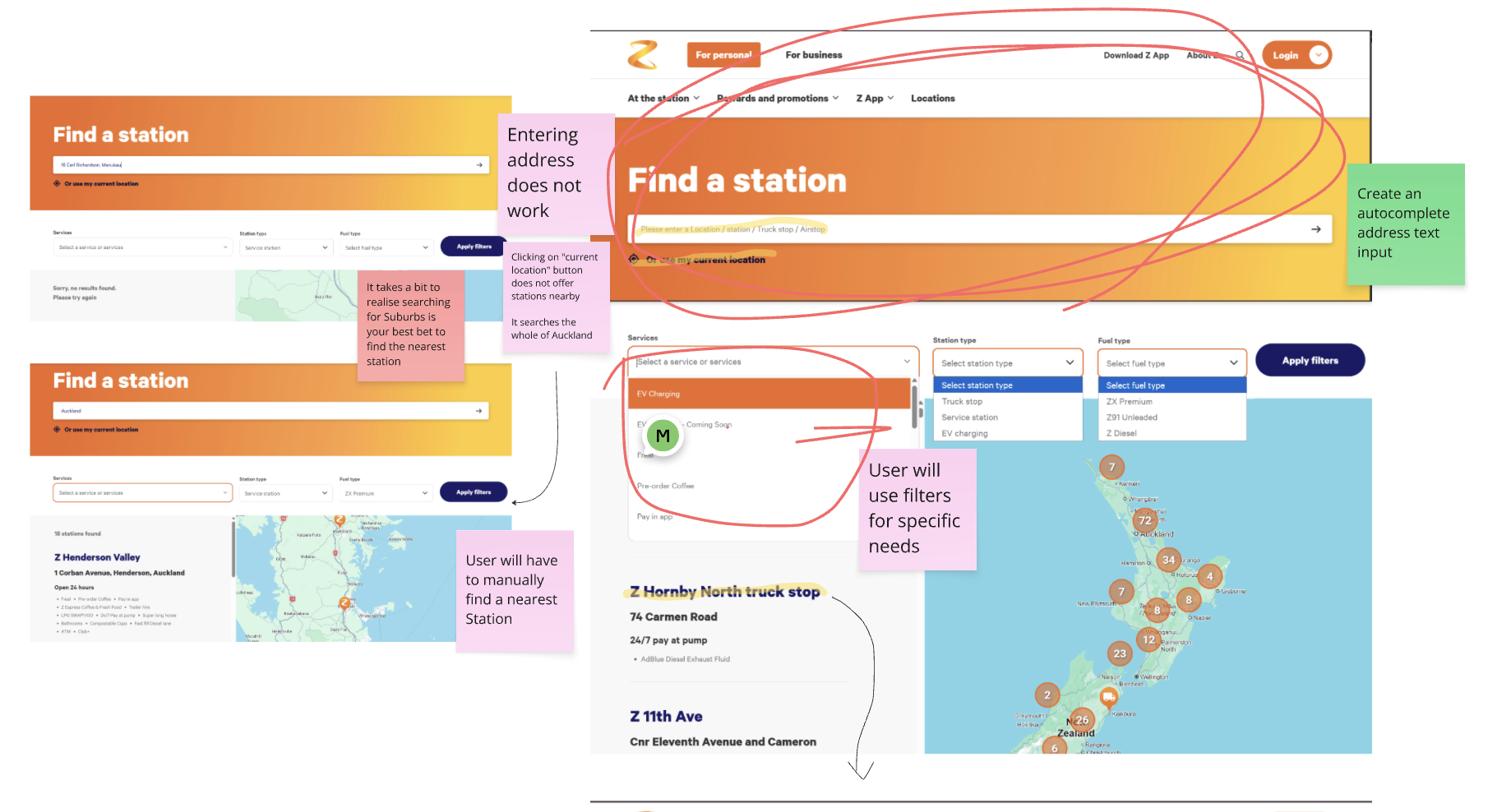
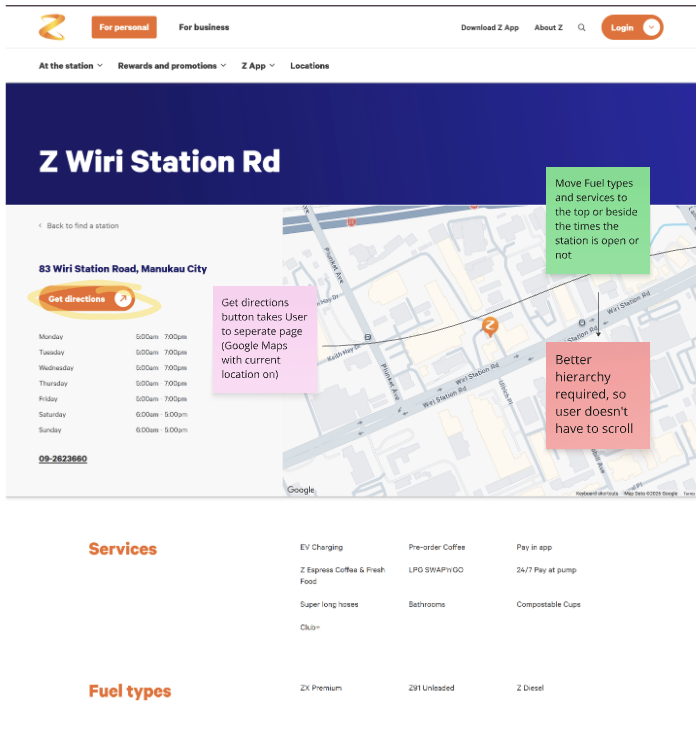
Auditing exactly where the current locator breaks down
I gathered four insights from the brief:
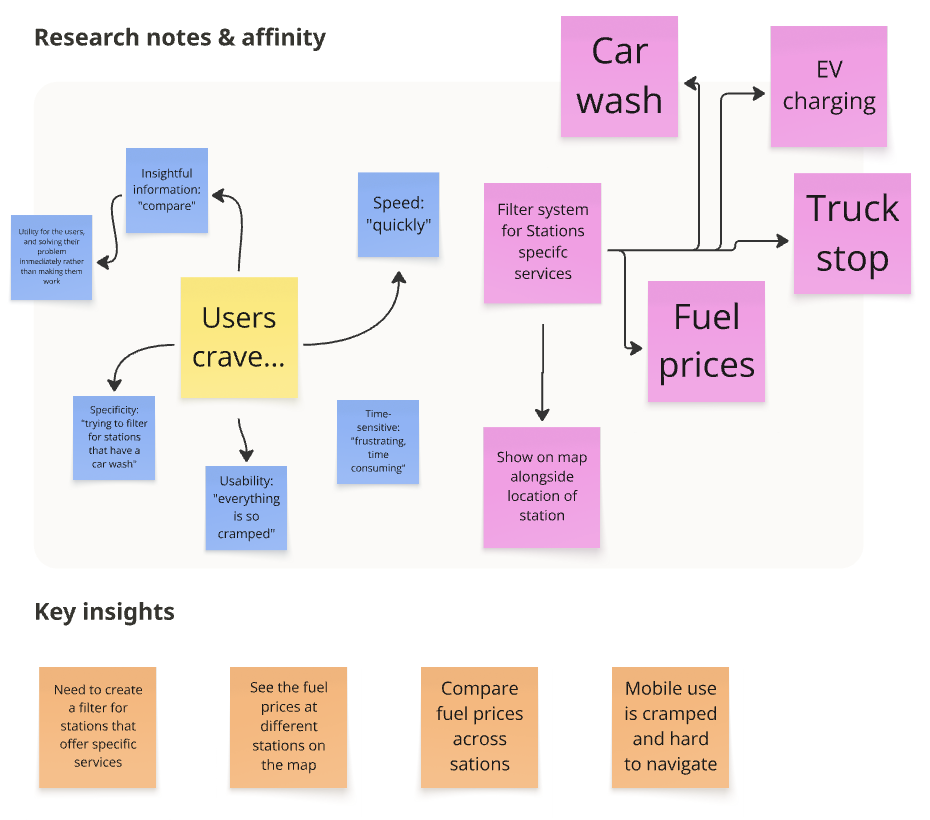
Clustering raw notes into “what users crave”, then the key insights that steered the redesign
During our discussions, we noted that the station locator would mostly be used on-the-drive — so the focus shifted to how it fits into someone’s journey, rather than replacing their itinerary entirely.
This made us prioritise delivering information at speed — fewer steps, clearer CTAs — since users would be reaching for it in a hurry.
DEFINE
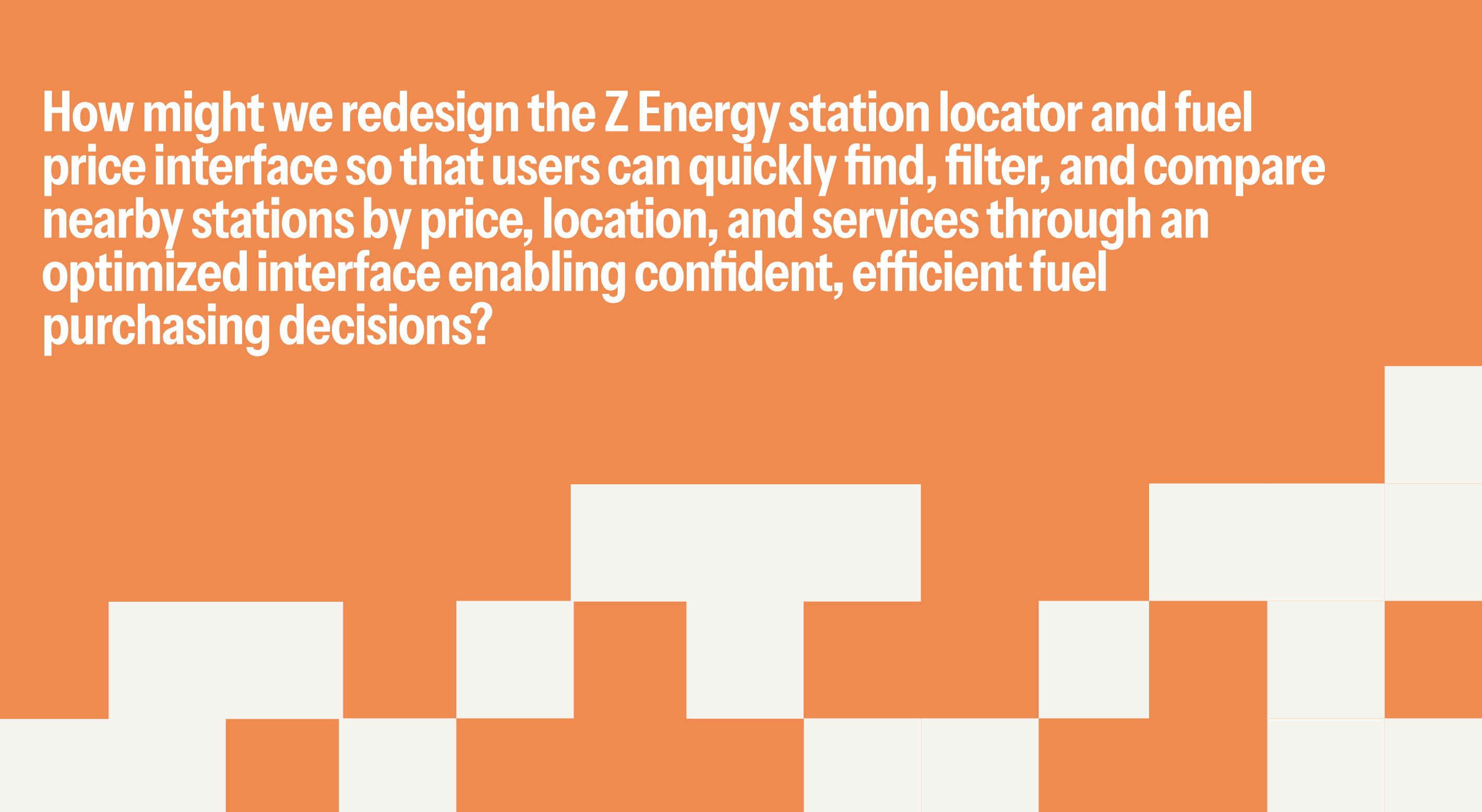
Everything I’d learned consolidated into a single How Might We.
CLARIFY
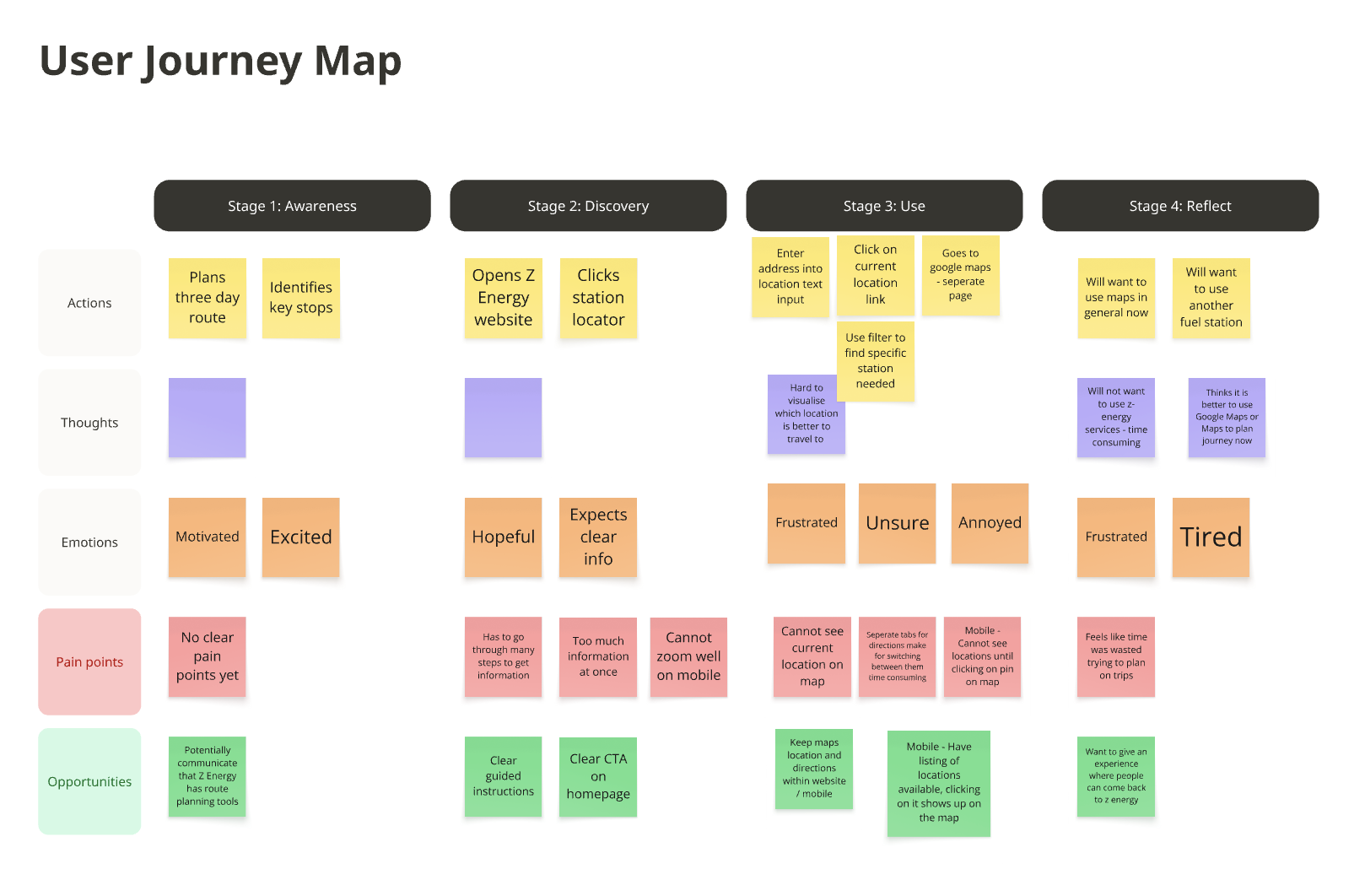
I drew the to-be user flow — the ideal path from “I need fuel” to “directions, sorted” — and owned the Awareness and Discovery stages of our user journey map, capturing what Alex thinks, feels, and needs at each step. We found the “Use” phase was the most troubling, so that’s where we focused our energy.
The to-be user flow I mapped
Running our usability tests, we received an average SUS rating of 6/7, which we were happy with — but the main recommendation was to group the map pins instead of showing them individually. We took that on board for the final design.
Choosing a colour palette was simple — we had Z Energy’s existing one to draw on — so making sure we had an easy-to-read, elegant and accessible typeface was the priority. We weighed up options like Inter and Plus Jakarta Sans, and landed on DM Sans, since it best reflected what the redesign needed given the feedback.
DESIGN
With the direction validated, I designed a set of the core hi-fi flows in Figma. I built the Filter your preferences experience and its modal — a rankable system so Alex can weight price, distance, and services in one place — plus a map zoom that keeps prices legible as you move around.
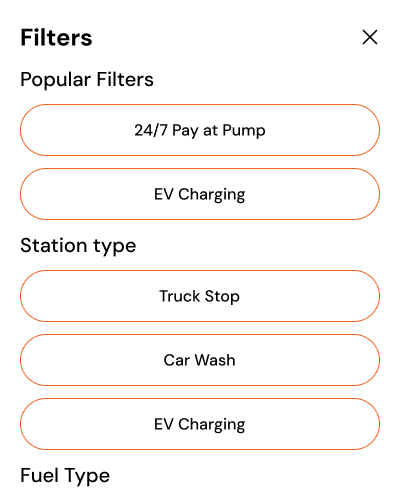
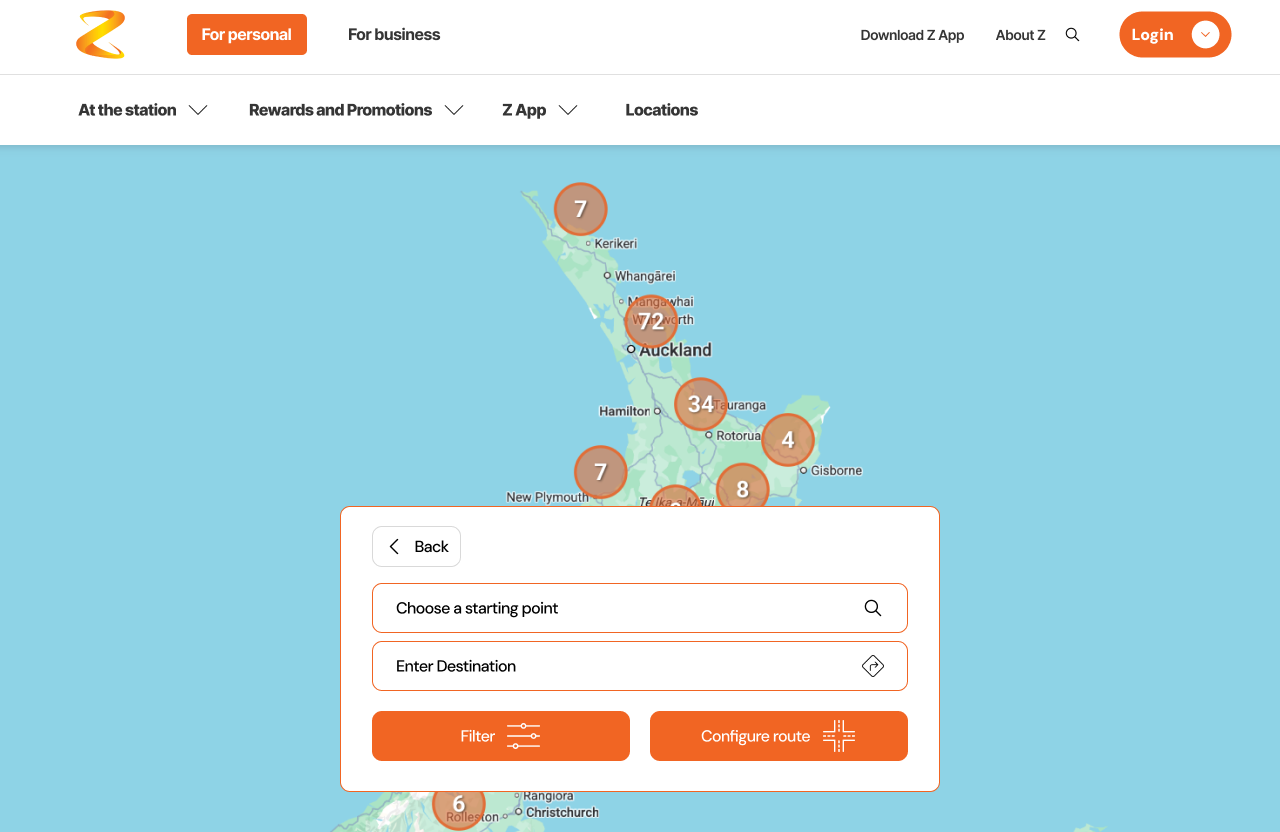
I designed the hi-fi entry page, the search function and its success state, and the five-screen Plan your route flow that carries a traveller from search to a chosen station to directions.
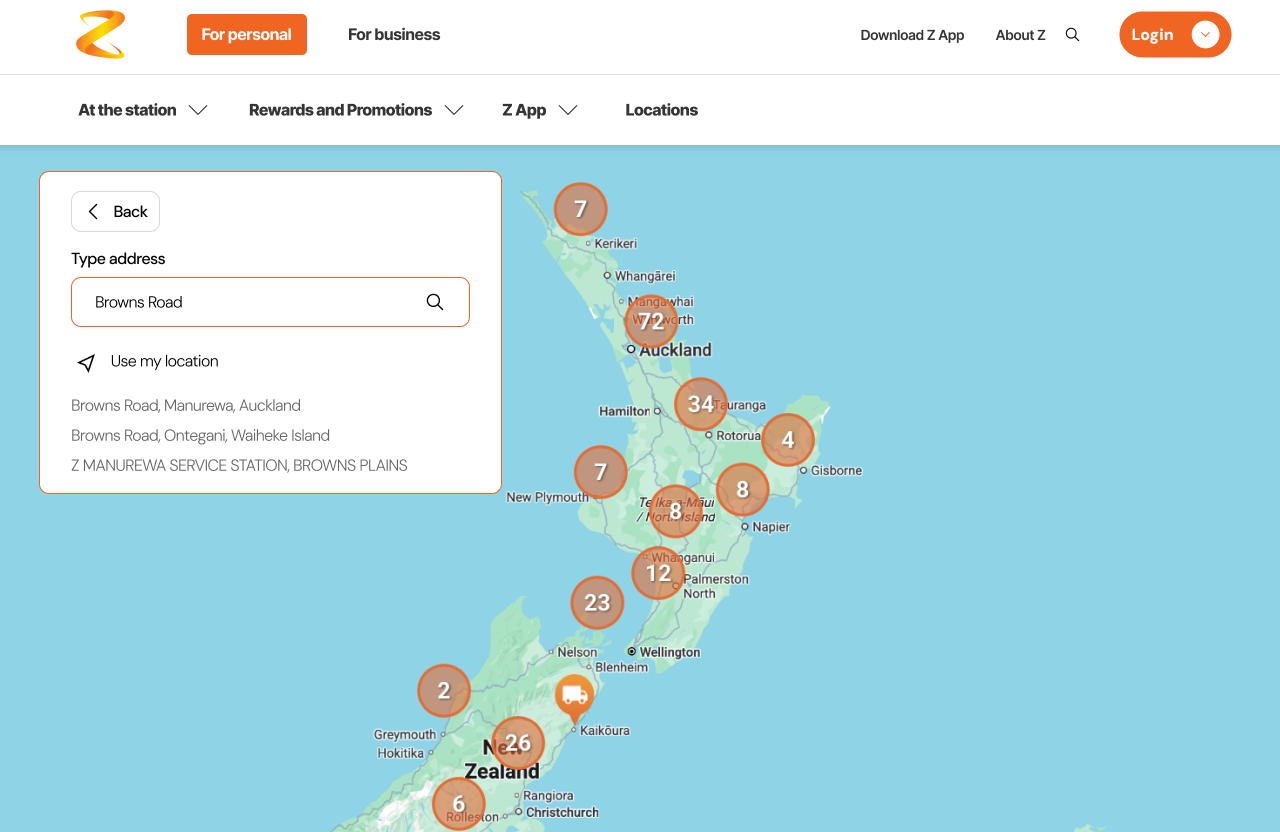
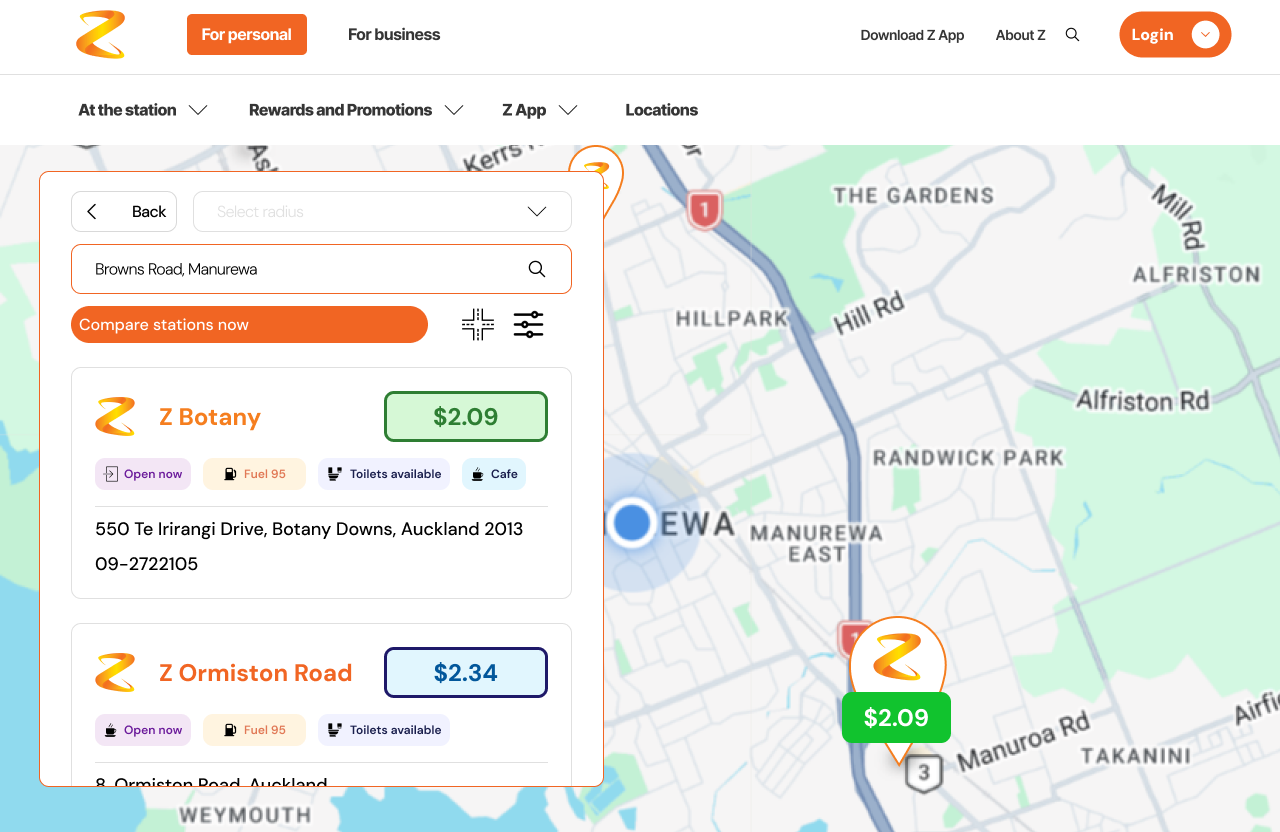
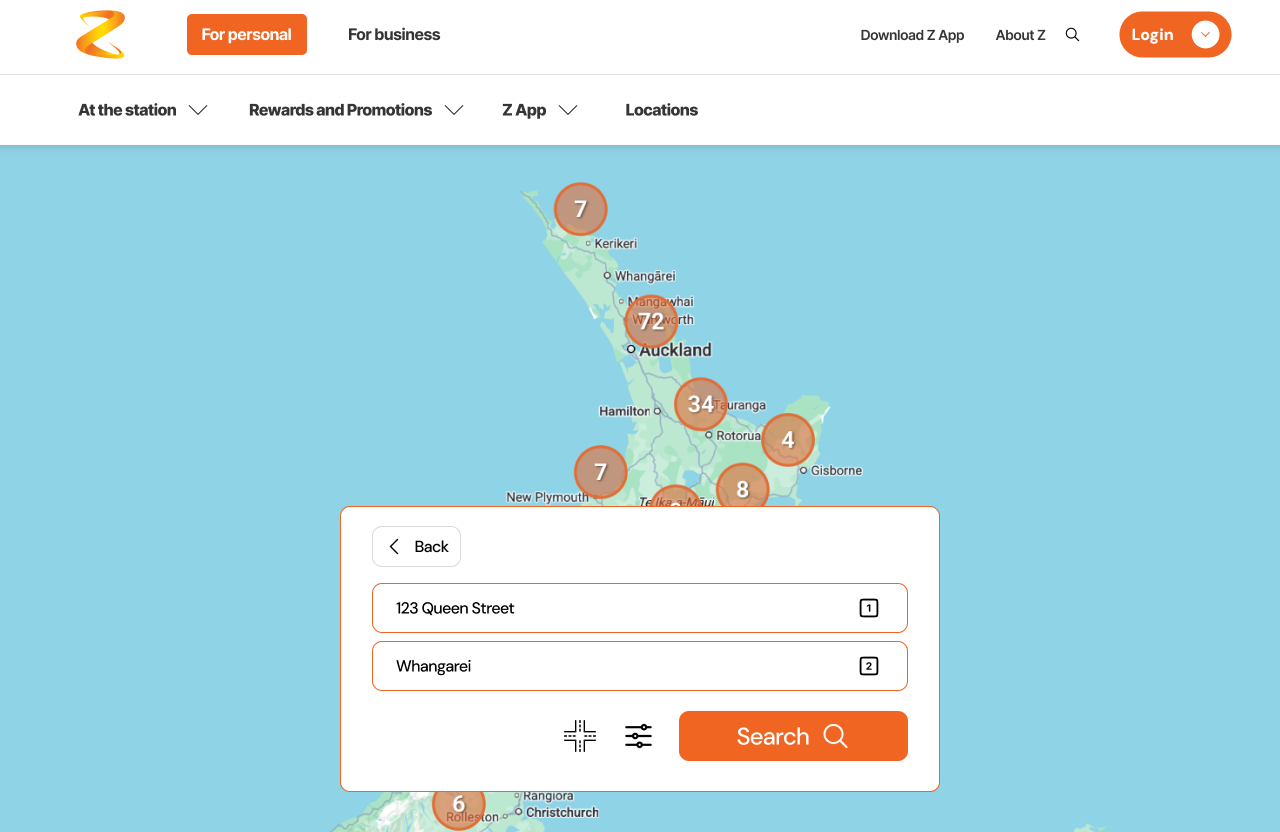
Two of the five “Plan your route” screens
VALIDATION & HANDOFF
Maddy and I then handed the work to the development team. The clearest signal of a dev-ready design: the only thing the engineers came back with was a question about light and dark mode. The flows, filtering, and states were clear enough to build from directly.
REFLECTION
My biggest takeaway is how important understanding the user — their needs and their motivations — was to the rest of the project. Defining the problem well is what let us move fast under tight deadlines, with a smooth handoff to the devs.
I also learned how to design inside a shared system on an agile team, where keeping up with daily standups, communicating, iterating, and learning through prototyping were a big part of our mahi.
SEE NEXT